What’s an Embed?
An embed is a piece of CrashCount you place in your own page.
- Copy a snippet or shortcode.
- Paste it into your website editor.
- Publish.
Your page will show CrashCount search, map, or summary content.
Start Here: Pick Your Path
Install Once (WordPress Only)
If your site is WordPress, use one plugin ZIP for all supported CrashCount embeds.
- Download: crashcount-crashfinder-shortcode.zip
- In WordPress admin:
Plugins -> Add New Plugin -> Upload Plugin - Activate once, then use shortcodes or Gutenberg blocks.
No WordPress? Use iFrame or Script Snippet
If your publishing system is not WordPress, start with one of these two options:
- iFrame path (fastest): use iFrame snippets for products that are fully self-contained inside the frame (especially Search Box + Crash Counter and strip/map embeds).
- Script snippet path (search-only): use the script snippet in Crash Finder Search Box Only when you need autocomplete suggestions to overflow outside a frame without clipping.
For custom CMS teams, treat these snippets as reusable components/templates in your own editor workflow.
Configure Geography (Layer + ID)
Some embeds can be pointed at a specific geography by setting two parts:
layer: the geography type (for example, council or borough)id: the geography identifier within that layer (for example, 39 or manhattan)
Which embeds use geography?
| Layer | Use this for | ID format | Example embed URL |
|---|
citywide | All NYC | nyc | /embed/citywide/nyc/ |
borough | Manhattan, Brooklyn, Bronx, Queens, Staten Island | Slug (example: manhattan, staten-island) | /embed/borough/manhattan/ |
council | NYC Council district | District number (example: 39) | /embed/council/39/ |
assembly | NYS Assembly district | District number (example: 52) | /embed/assembly/52/ |
senate | NYS Senate district | District number (example: 23) | /embed/senate/23/ |
precinct | NYPD precinct | Precinct number (example: 114) | /embed/precinct/114/ |
community | Community board | Board code (example: 314) | /embed/community/314/ |
nta | Neighborhood Tabulation Area | NTA code (example: mn0801) | /embed/nta/mn0801/ |
How to find the correct ID quickly
- Open the matching CrashCount geography page in your browser.
- Copy the last URL segment.
- Use that value as
id with the matching layer.
Examples:
/council-district/39/ → layer=“council”, id=“39”/borough/staten-island/ → layer=“borough”, id=“staten-island”/community-board/314/ → layer=“community”, id=“314”/neighborhood/mn0801/ → layer=“nta”, id=“mn0801”
Pattern reminder
- Search + counter:
https://crashcountnyc.com/embed/<layer>/<id>/ - Strip:
https://crashcountnyc.com/embed/strip/<layer>/<id>/
Which Embed Should I Choose?
CrashCount Embed Choices
Crash Finder Search Box Only Homepage utility
Best when you can use the WordPress plugin or script snippet (to avoid iframe clipping of suggestions).
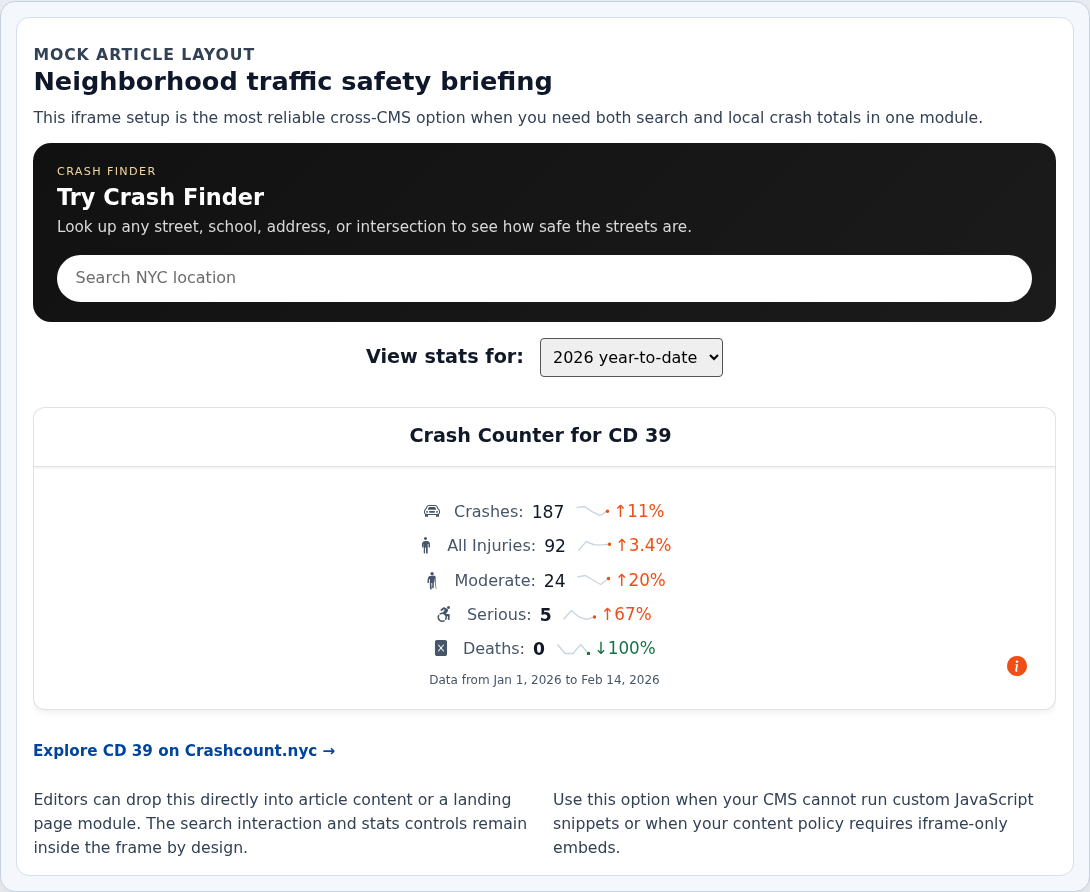
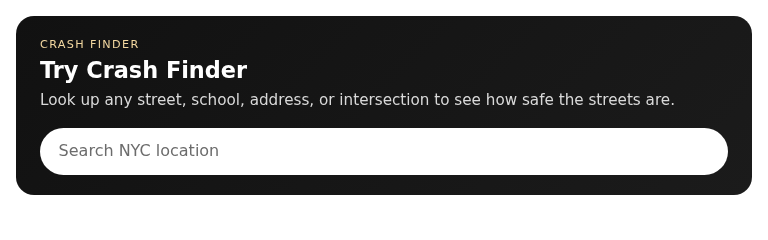
Search Box + Crash Counter
Best when you want search plus local crash totals in one module, with a reliable iFrame setup.
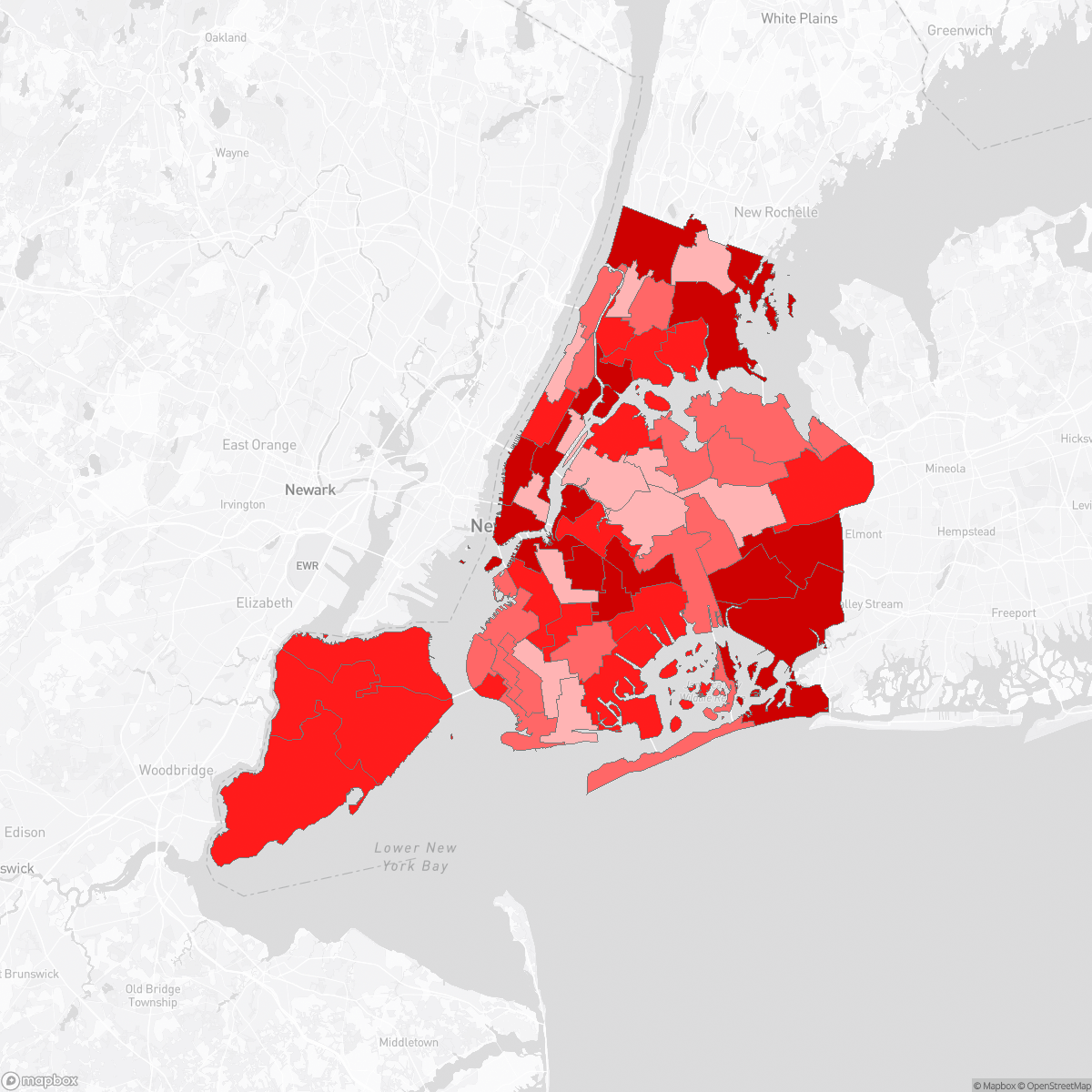
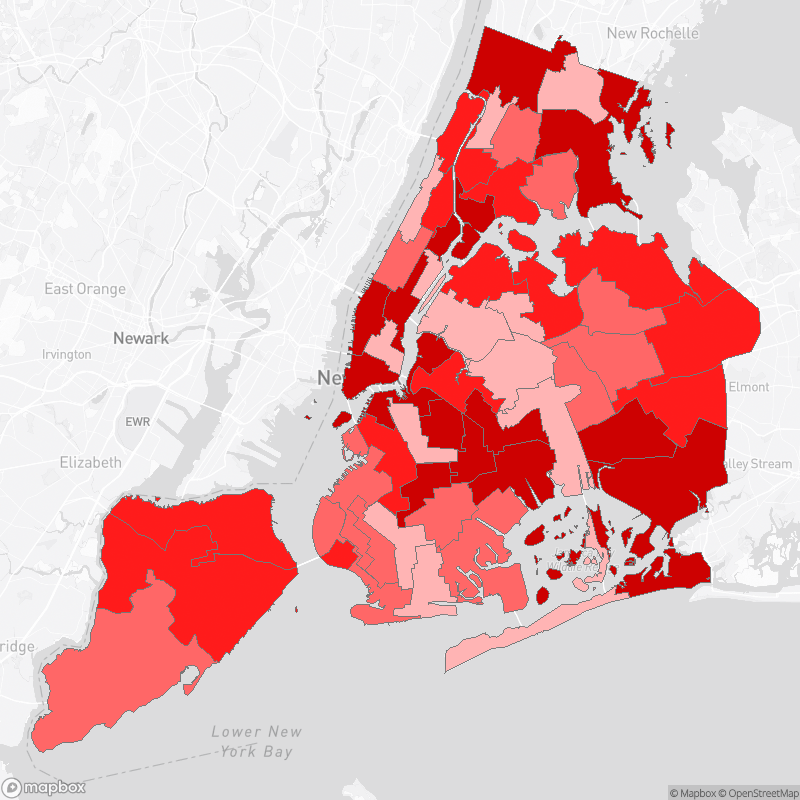
NYC Council Heatmap Map
Best when you want a map call-to-action that opens the full map page.

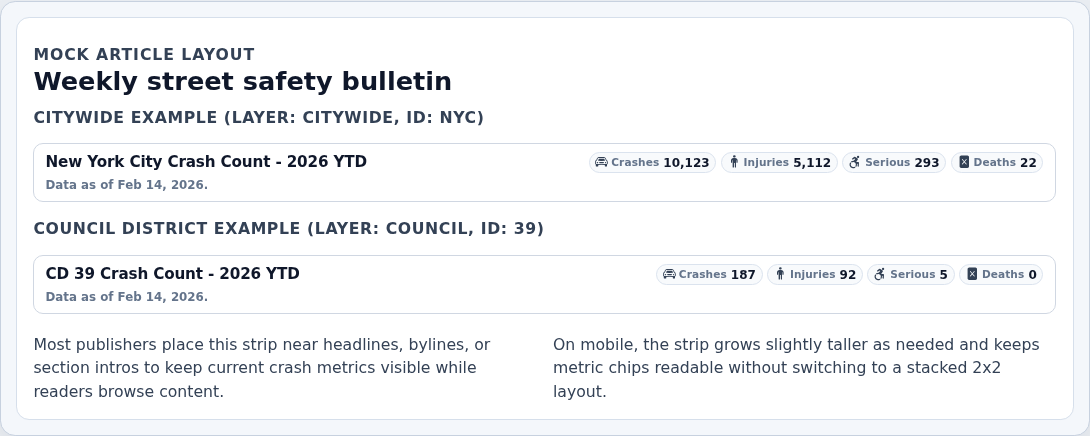
Thin CrashCounter Strip
Best for compact metrics above or below stories.
How They Work
WordPress Plugin
Best for non-technical editors. No iframe clipping. One install, then reusable shortcodes/blocks.
iFrame
Fastest universal option across CMS tools. Best when plugin/script install is restricted.
Script Snippet / Linked Image
Good for custom CMS teams or very lightweight map call-to-action placements.
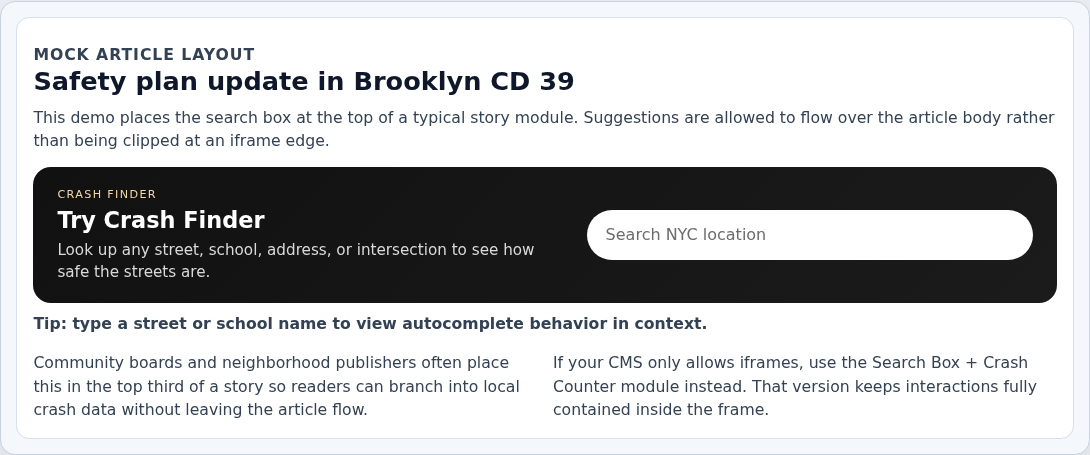
Crash Finder Search Box Only
Important: If you need autocomplete suggestions to extend beyond a frame, use the WordPress plugin or script snippet. Search-only in an iFrame can clip dropdown suggestions at the frame boundary.
What it looks like
Types
WordPress Plugin Recommended for most publishers
Pros
- No iframe clipping.
- Easiest editorial workflow.
- Uses the same search behavior as CrashCount
/find.
Cons
- Requires one-time plugin install by a WordPress admin.
How to do it
- Download plugin ZIP: crashcount-crashfinder-shortcode.zip.
- In WordPress admin:
Plugins -> Add New Plugin -> Upload Plugin. - Install and activate.
- Paste this shortcode into your page/post.
WordPress shortcode
Click the box to select all, then copy.
iFrame
Pros
- Works on almost any platform that allows iframe tags.
- No plugin install required.
Cons
- Suggestion panel is confined to iframe boundaries and can clip longer result lists.
- Not the recommended path if search UX quality is the priority.
How to do it
- Add a Custom HTML block (or equivalent) in your CMS.
- Paste this iframe snippet.
- If clipping is a problem, switch to plugin/script snippet or use Search Box + Crash Counter.
Search-only iframe
Click the box to select all, then copy.
Other Options (Script Snippet)
Pros
- No WordPress plugin required.
- No iframe clipping.
Cons
- Requires custom HTML + JavaScript permissions in your CMS.
How to do it
- Open your CMS Custom HTML/Code block.
- Paste the full snippet below.
Script snippet (non-WordPress CMS)
Click the box to select all, then copy.
Back to top ↑
Crash Finder Search Box + Crash Counter
What it looks like
Types
iFrame Recommended for this product
Pros
- One copy-paste snippet.
- Works across CMS platforms.
- Search interactions stay inside the module, so this is the reliable iFrame search option.
Cons
- Module height must be managed with iframe height.
How to do it
- Pick your
layer and id from Configure Geography (Layer + ID). - Paste the snippet and replace the sample URL if needed.
Search + crash counter iframe
Click the box to select all, then copy.
WordPress (Custom HTML block or iframe shortcode plugin)
Pros
- No custom plugin development required.
- Editors can reuse one approved block pattern.
- Good fallback when your team can only ship iFrames in WordPress.
Cons
- Depends on iframe permissions for your editor role.
How to do it
- In Gutenberg, use a Custom HTML block and paste the iframe snippet above.
- If your WordPress strips iframes, ask admin to install iframe shortcode plugin.
- Use this shortcode format.
WordPress iframe shortcode
Click the box to select all, then copy.
Back to top ↑
NYC Map With Council Regions
What it looks like
Types
WordPress Plugin (Map tout) Recommended for map call-to-action
Pros
- No iframe permissions needed.
- Fast load and simple editorial workflow with static image by default.
- Clicking opens the full interactive council map page.
- Size can be configured with shortcode attributes.
Cons
- Best used as a compact preview card, not a full-page map replacement.
How to do it
- Install the CrashCount plugin ZIP from this page (same plugin as search-only widget).
- Add shortcode below in any page/post.
- Optional: set
headline and as_of_text to custom copy. - Optional: set
window (example: 2026_ytd) to keep the linked council page in sync.
WordPress council map shortcode
Click the box to select all, then copy.
WordPress council map shortcode (custom text + year window)
Click the box to select all, then copy.
Default yearly behavior
- Before January 15: defaults to prior year full totals.
- On/after January 15: defaults to current year-to-date totals.
- The same window is passed to the linked council page so map + leaderboard stay aligned.
iFrame (Map tout)
Pros
- Compact and lightweight.
- Shows hosted static map image (no live map runtime cost on page load).
- Clicking opens the full map-first council page.
Cons
- Not interactive inside the iframe preview.
How to do it
- Paste iframe snippet below into your page.
- Keep height around
520-620 based on layout.
Council map tout iframe
Click the box to select all, then copy.
iFrame (Interactive full map)
Pros
- Fastest setup for map-based browsing.
- Uses the same map and leaderboard as CrashCount.
Cons
- Needs more iframe height for a good experience.
How to do it
- Paste iframe into your page.
- Keep height at or above
900 for desktop.
Council map iframe
Click the box to select all, then copy.
Back to top ↑
Thin CrashCounter Strip
What it looks like
Types
WordPress Plugin Recommended for most publishers
Pros
- Very compact one-line style for article pages and sidebars.
- Window-aware click-through to the matching CrashCount page.
- Responsive labels: full metric names on wider layouts, icon-only chips on narrow layouts.
- Theme-aware styling (auto-adapts to dark mode).
- No iframe permissions needed.
Cons
- Requires one-time plugin install by an admin.
How to do it
- Install the CrashCount plugin ZIP (same installer used for all plugin embeds).
- Pick your
layer and id from Configure Geography (Layer + ID). - Paste the shortcode for your geography.
WordPress shortcode (citywide)
Click the box to select all, then copy.
WordPress shortcode (example district)
Click the box to select all, then copy.
iFrame
Pros
- Works in most CMS platforms.
- Easy to swap geographies by URL path.
Cons
- Requires iframe support in your CMS/editor role.
How to do it
- Use a Custom HTML block (or equivalent) in your CMS.
- Pick your
layer and id from Configure Geography (Layer + ID). - Paste the snippet below and adjust layer/id if needed.
Crashcounter strip iframe
Click the box to select all, then copy.
Back to top ↑
Developer Quick Reference
Use this section when you need canonical URL patterns and production-safe defaults.
Canonical URL patterns
/embed/search//embed/<layer>/<id>/ (search + crash counter)/embed/council-map//embed/strip/<layer>/<id>/?window=auto
Valid layers: borough, council, assembly, senate, precinct, community, nta, citywide.
Production snippet checklist
- Use
https://crashcountnyc.com URLs for public embeds. - Set iframe
width="100%" and explicit height. - Use
target="_top" when you need links to break out of iframes. - Keep
loading="lazy" enabled unless above-the-fold is required.
Need Help / Troubleshooting